<?xml version="1.0" encoding="utf-8"?>
<?xml-stylesheet href="http://www.tres-graficos.jp/blog/rss/style.css" type="text/css"?>
<rdf:RDF xmlns="http://purl.org/rss/1.0/"
         xmlns:rdf="http://www.w3.org/1999/02/22-rdf-syntax-ns#"
         xmlns:content="http://purl.org/rss/1.0/modules/content/"
         xmlns:dc="http://purl.org/dc/elements/1.1/"
         xml:lang="en">
<channel rdf:about="http://www.tres-graficos.jp/blog/rss/1.0.php?id=642">
<title>TG BLOG</title>
<link>http://www.tres-graficos.jp/blog/index.php</link>
<dc:date>2012-10-07T09:22:45+0900</dc:date>
<description>
TG BLOG - RSS (RDF Site Summary).
</description>
<items>
<rdf:Seq>
<rdf:li rdf:resource="http://www.tres-graficos.jp/blog/article.php?id=642" />
</rdf:Seq>
</items>
</channel>
<item>
<title>Tubes</title>
<link>http://www.tres-graficos.jp/blog/article.php?id=642</link>
<dc:date>2012-10-07T09:22:45+0900</dc:date>
<description>リハビリがてら、円筒を繋げるのをちょっと練習。
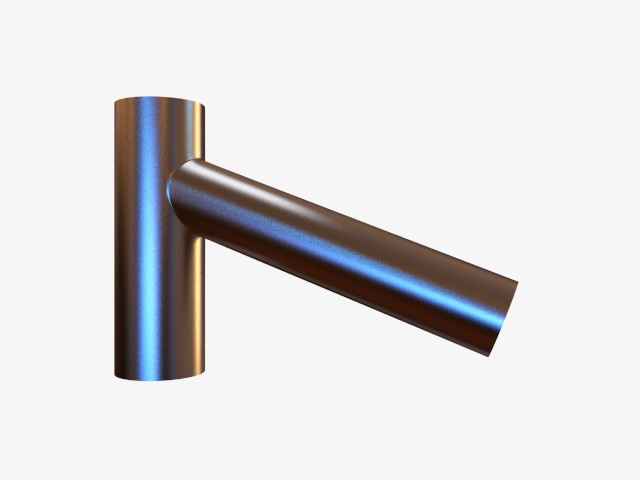
30度傾けて横から繋げてみた。Spline Cut.js で空けた穴に繋げました。


Modeling &amp; Rendering: Cheetah3D 6.0.1
こちらは環状複製で。編集可...</description>
<content:encoded>
<![CDATA[
<p>リハビリがてら、円筒を繋げるのをちょっと練習。</p>
<p>30度傾けて横から繋げてみた。<a href="http://www.tres-graficos.jp/blog/files/article.php?id=90">Spline Cut.js</a> で空けた穴に繋げました。</p>
<p>
<img src="http://www.tres-graficos.jp/blog/resources/ch_20121007_2waytube.jpg" width="640" height="480" alt="ch_20121007_2waytube.jpg" />
</p>
<p class="spec">Modeling & Rendering: Cheetah3D 6.0.1</p>
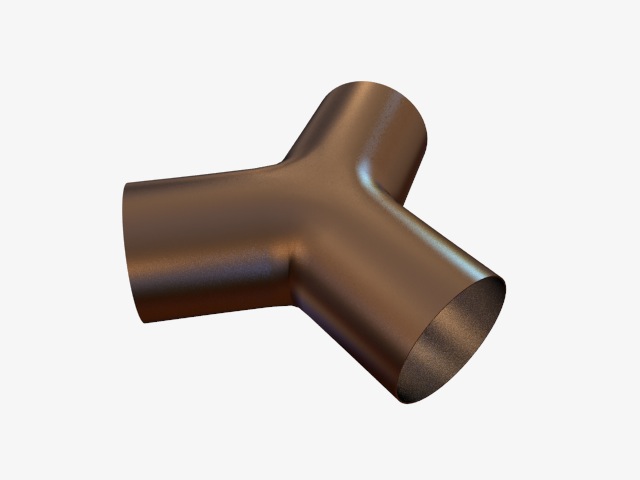
<p>こちらは環状複製で。編集可能にしてから、側面をポリゴンを作成で繋げて、上面と下面は、<a href="http://www.tres-graficos.jp/blog/files/article.php?id=87">Make Circle.js</a> で整えてます。</p>
<p>
<img src="http://www.tres-graficos.jp/blog/resources/ch_20121007_3waytube.jpg" width="640" height="480" alt="ch_20121007_3waytube.jpg" />
</p>
<p class="spec">Modeling & Rendering: Cheetah3D 6.0.1</p>
<!-- more -->
<hr />
<p>作業動画をあげてみた。ホットキーを使いまくってるので、ちょっと分かりにくいですけど… :-P</p>
<iframe width="640" height="360" src="http://www.youtube.com/embed/ZazASUXxI3Y" frameborder="0" allowfullscreen>
</iframe>

]]>
</content:encoded>
</item>

</rdf:RDF>