<?xml version="1.0" encoding="utf-8"?>
<?xml-stylesheet href="http://www.tres-graficos.jp/blog/rss/style.css" type="text/css"?>
<rdf:RDF xmlns="http://purl.org/rss/1.0/"
         xmlns:rdf="http://www.w3.org/1999/02/22-rdf-syntax-ns#"
         xmlns:content="http://purl.org/rss/1.0/modules/content/"
         xmlns:dc="http://purl.org/dc/elements/1.1/"
         xml:lang="en">
<channel rdf:about="http://www.tres-graficos.jp/blog/rss/1.0.php?id=219">
<title>TG BLOG</title>
<link>http://www.tres-graficos.jp/blog/index.php</link>
<dc:date>2006-07-04T17:20:04+0900</dc:date>
<description>
TG BLOG - RSS (RDF Site Summary).
</description>
<items>
<rdf:Seq>
<rdf:li rdf:resource="http://www.tres-graficos.jp/blog/article.php?id=219" />
</rdf:Seq>
</items>
</channel>
<item>
<title>Screen Capture Application for Intel Mac -  iShowU</title>
<link>http://www.tres-graficos.jp/blog/article.php?id=219</link>
<dc:date>2006-07-04T17:20:04+0900</dc:date>
<description>今まで画面をキャプチャするのに使っていた Snapz Pro X 2 は Universal 化されてなくて Rosetta では不具合があったので、Mac mini では作業をキャプチャできないなぁと、調べてみると iShowU というソ...</description>
<content:encoded>
<![CDATA[
<p>今まで画面をキャプチャするのに使っていた Snapz Pro X 2 は Universal 化されてなくて Rosetta では不具合があったので、Mac mini では作業をキャプチャできないなぁと、調べてみると <a href="http://shinywhitebox.com/home/home.html" class="ex-ref">iShowU</a> というソフトが対応してました。20ドルと手頃だし、スピード・画質とも納得できる感じです。</p>
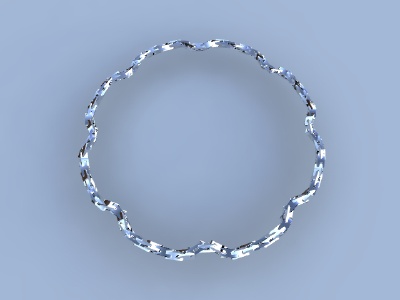
<p>試しに、Cheetah3D での作業を撮ってみた。</p>
<p>
<img src="http://www.tres-graficos.jp/blog/resources/ch_20060703_ishowutestRing.jpg" width="400" height="300" alt="" />
</p>
<p>
<a href="http://tres-graficos.jp/ch_data/ch_movies/ch_20060703_ishowutest1s.mov">iShowU Test (h.264 21.3MB)</a>
</p>
<p class="spec">Modeling & Rendering: Cheetah3D 3.3</p>
<p>また、だらだらと撮ってしまった。 :-!</p>

]]>
</content:encoded>
</item>

</rdf:RDF>