<?xml version="1.0" encoding="utf-8"?>
<?xml-stylesheet href="http://www.tres-graficos.jp/blog/rss/style.css" type="text/css"?>
<rdf:RDF xmlns="http://purl.org/rss/1.0/"
         xmlns:rdf="http://www.w3.org/1999/02/22-rdf-syntax-ns#"
         xmlns:content="http://purl.org/rss/1.0/modules/content/"
         xmlns:dc="http://purl.org/dc/elements/1.1/"
         xml:lang="en">
<channel rdf:about="http://www.tres-graficos.jp/blog/rss/1.0.php?id=196">
<title>TG BLOG</title>
<link>http://www.tres-graficos.jp/blog/index.php</link>
<dc:date>2006-05-24T12:50:17+0900</dc:date>
<description>
TG BLOG - RSS (RDF Site Summary).
</description>
<items>
<rdf:Seq>
<rdf:li rdf:resource="http://www.tres-graficos.jp/blog/article.php?id=196" />
</rdf:Seq>
</items>
</channel>
<item>
<title>Z-buffer channel with Cheetah3D</title>
<link>http://www.tres-graficos.jp/blog/article.php?id=196</link>
<dc:date>2006-05-24T12:50:17+0900</dc:date>
<description>
Forum で Z-buffer channel を取り出す方法が紹介されていたので、実験してみた。

EPIX フォーマットで保存するために、Render Preferences で cache EPIX にチェックを入れる
レンダリン...</description>
<content:encoded>
<![CDATA[
<p>
<a href="http://cheetah3d.de/forum/showthread.php?t=681" class="ex-ref">Forum</a> で Z-buffer channel を取り出す方法が紹介されていたので、実験してみた。</p>
<ul>
<li>EPIX フォーマットで保存するために、Render Preferences で cache EPIX にチェックを入れる</li>
<li>レンダリング後、画像を EPIX フォーマットで保存 ( 拡張子は .epx ）してから、保存した画像ファイルの拡張子を .epx から .tiff に強制的に変更</li>
<li>出来た TIFF ファイルを Preview で開く。ドロワーに各レイヤーのサムニールが表示されているので、それを選択して別名で保存</li>
</ul>
<!-- more -->
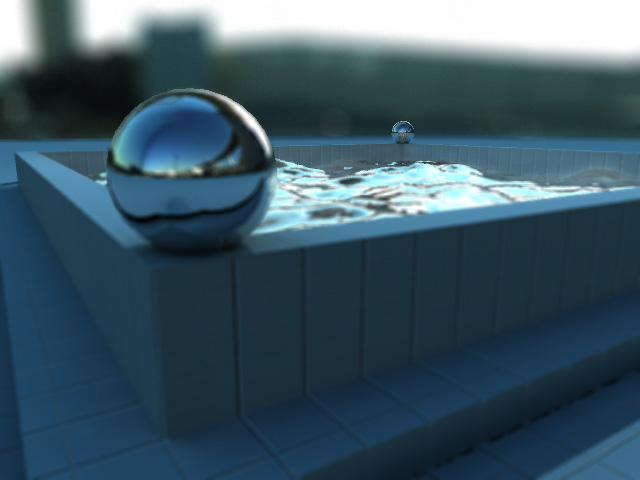
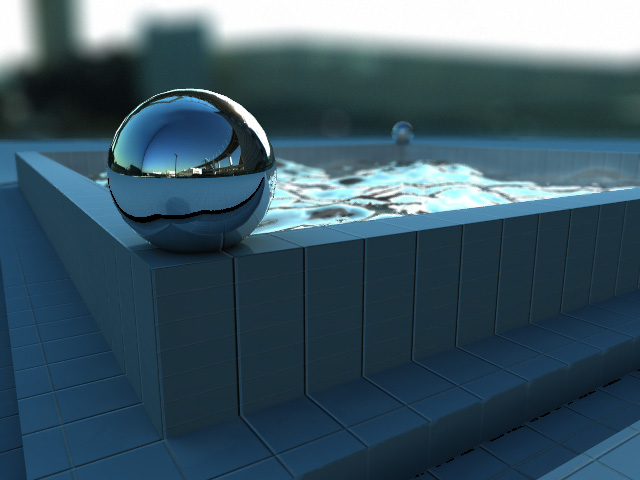
<p>取り出した Z-buffer 画像を使って Photoshop のフィルター ぼかしー（レンズ）に使用してみた。取り出しの手順がちょっと面倒なんですが、ゆくゆくはこうした手順無く書き出せたりするようになるはず。</p>
<p>
<img src="http://www.tres-graficos.jp/blog/resources/ch_20060523_wc_z.jpg" width="300" height="225" alt="" />
</p>
<p>
<img src="http://www.tres-graficos.jp/blog/resources/ch_20060523_wc_a.jpg" width="640" height="480" alt="" />
</p>
<p>
<img src="http://www.tres-graficos.jp/blog/resources/ch_20060523_wc_b.jpg" width="640" height="480" alt="" />
</p>
<p class="spec">Modeling & Rendering: Cheetah3D 3.2</p>

]]>
</content:encoded>
</item>

</rdf:RDF>